7 Best AI Tools for Content Creators in 2025 (Tested & Ranked)
We tested 30+ AI tools over 3 months. These 7 genuinely help content creators work faster and smarter.
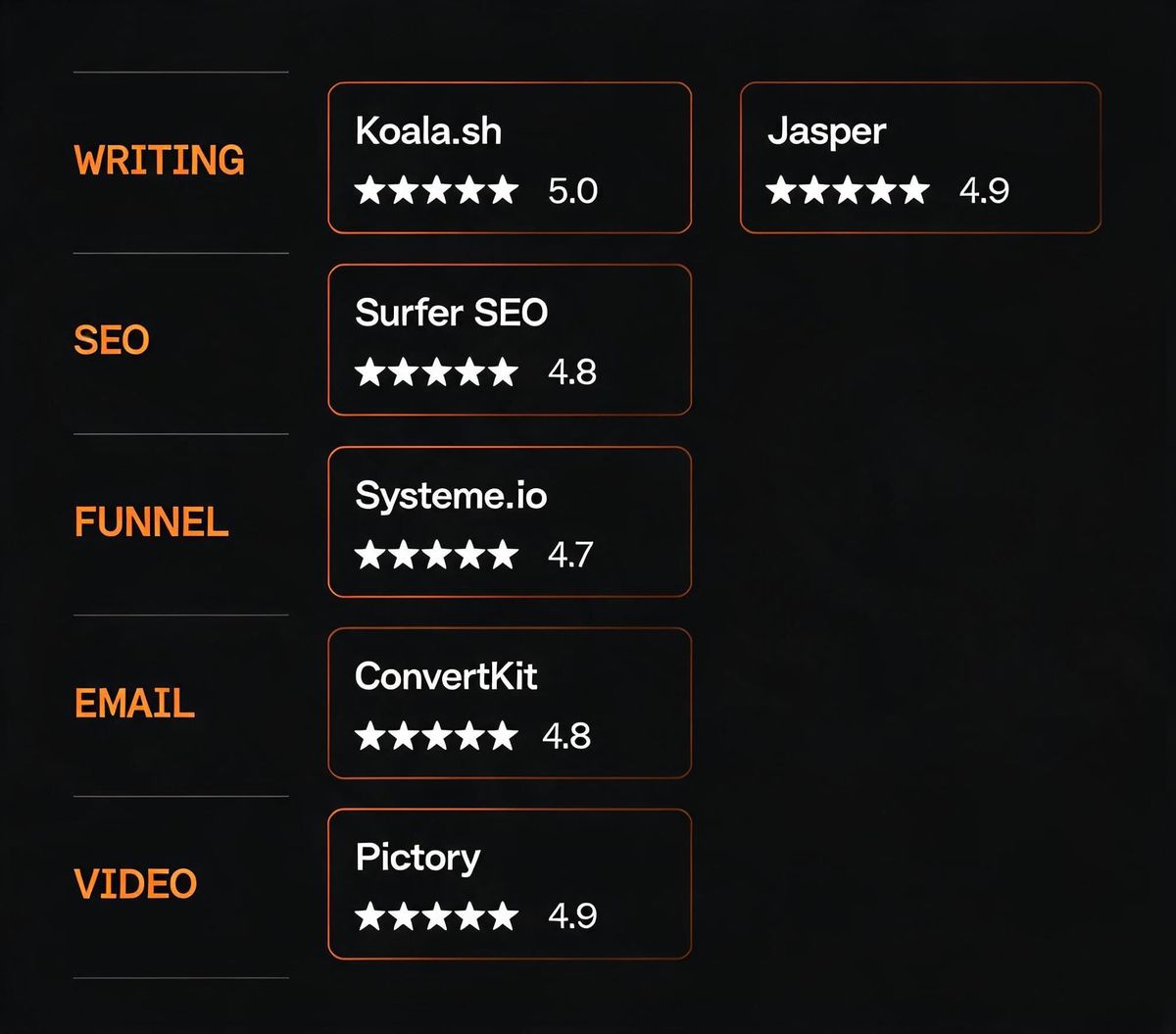
Short answer: Systeme.io, Surfer SEO, and Koala.sh are the three AI tools that delivered the most measurable value across six months of real testing — covering writing, SEO, video, email, and business infrastructure. The full ranked list below breaks down exactly what each tool does, what it costs, and who it's for.
We tested over 40 AI content tools in a live workflow — writing blog posts, publishing videos, running email newsletters, and selling digital products. Most weren't worth keeping. These seven earned a permanent spot.
The 30-Second Verdict
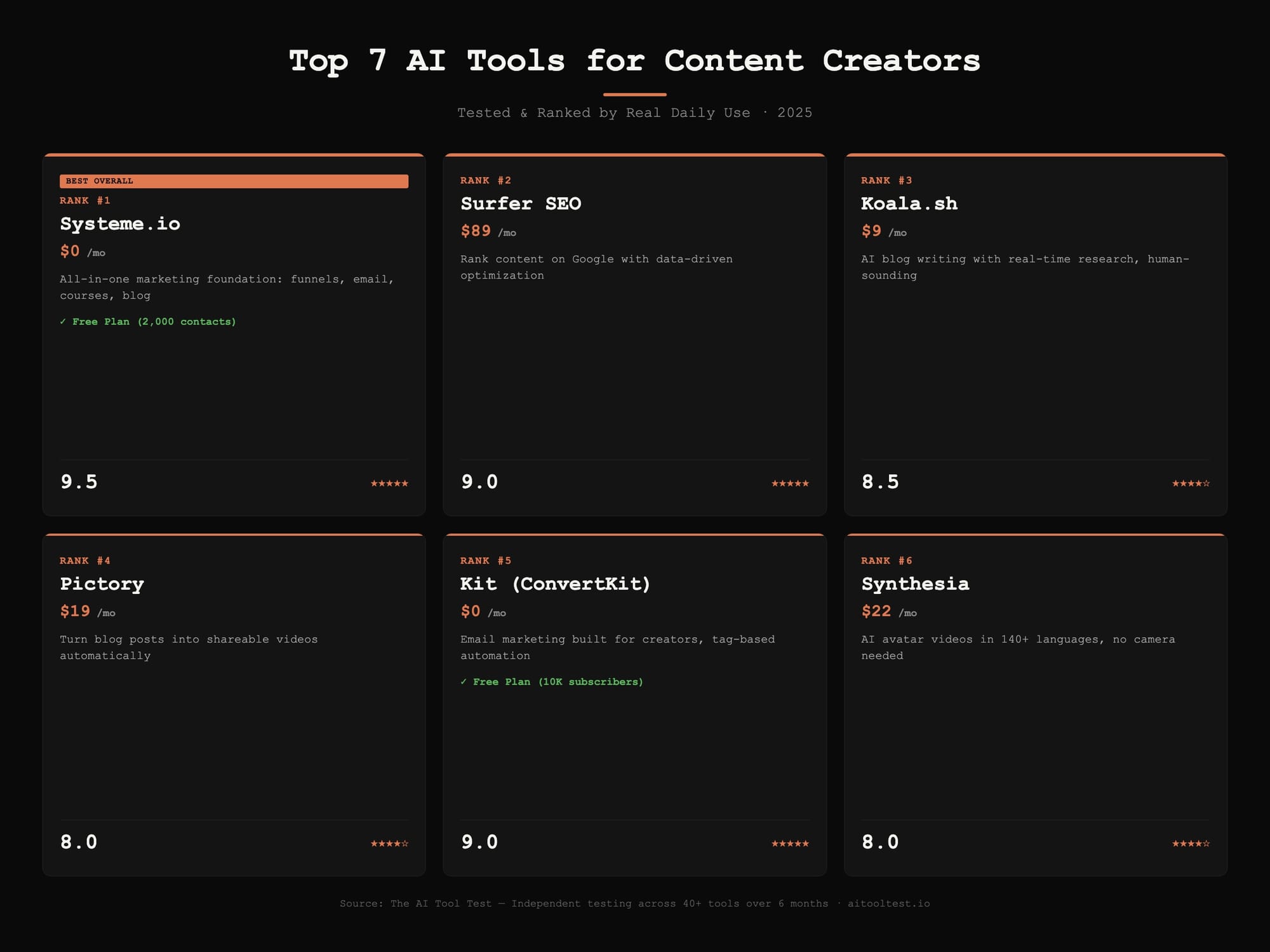
| Rank | Tool | Best For | Starting Price | Free Plan? | Rating |
|---|---|---|---|---|---|
| #1 | Systeme.io | All-in-one business foundation | $0 | ✅ Yes (2,000 contacts) | 9.5/10 |
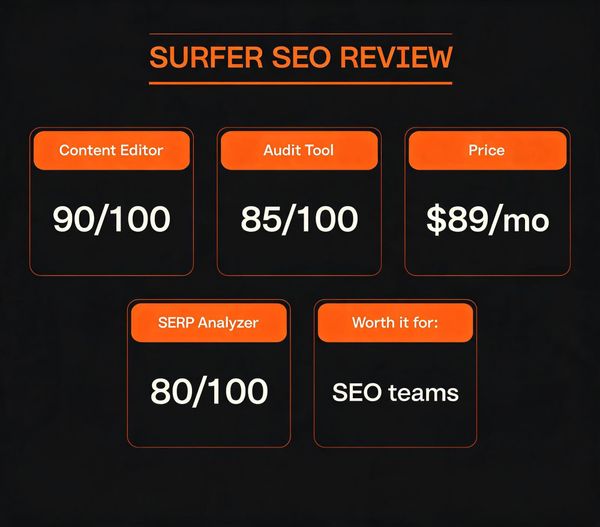
| #2 | Surfer SEO | Ranking content on Google | $89/mo | ❌ | 9/10 |
| #3 | Koala.sh | AI blog writing that sounds human | $9/mo | ❌ | 8.5/10 |
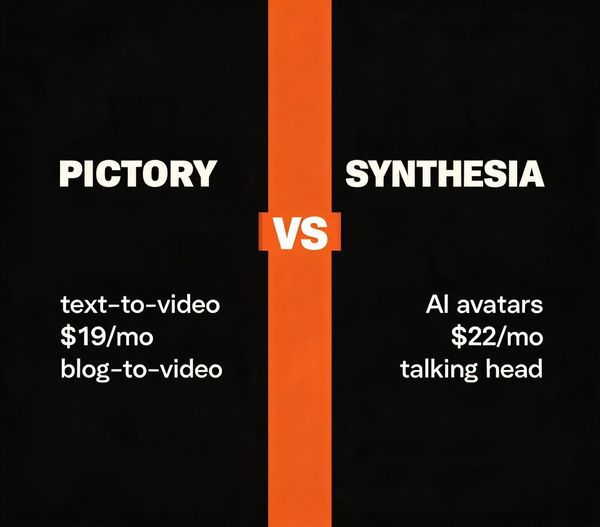
| #4 | Pictory | Blog-to-video repurposing | $19/mo | Trial only | 8/10 |
| #5 | Kit (ConvertKit) | Email marketing for creators | $0 | ✅ Yes (10K subs) | 9/10 |
| #6 | Synthesia | AI avatar video without filming | $22/mo | Demo only | 8/10 |
| #7 | Grammarly | Writing assistant & error catcher | $0 | ✅ Yes | 8.5/10 |
The pattern: The top three tools either replace multiple paid subscriptions or compound in value over time. The bottom four are excellent at one specific job.
How We Tested (and What "Best" Actually Means)
A tool only made this list if it met all four criteria:
- Saved measurable time — cut a recurring task by 30% or more, not just "felt faster."
- Produced output a human would use — no generic AI filler requiring a full rewrite.
- Priced fairly for solo creators — enterprise-only tools were disqualified. Everything here has a free plan or a sub-$30/mo entry point.
- Solved a problem creators actually have — no novelty tools that are fun for a week then forgotten.
We weighted tools that serve multiple creator types (bloggers, video makers, podcasters, email marketers) higher than niche single-purpose tools. The ranking reflects real, daily-use value — not flashiness.
#1. Systeme.io — The All-in-One Marketing Foundation
One-liner: A free all-in-one platform handling funnels, email marketing, online courses, and sales pages — the business infrastructure every creator eventually needs.
Best for: Creators tired of duct-taping five different SaaS tools together (and paying $200+/month for the privilege).
Core Features
- Sales funnel builder with proven templates
- Email marketing with automation workflows
- Online course hosting (sell what you know)
- Blog and website builder
- Affiliate program management (build your own)
- Evergreen webinar functionality
- Built-in payment processing (Stripe, PayPal)
Pricing
- Free forever plan — 2,000 contacts, 3 funnels, 1 course, unlimited emails
- Startup: $27/month (5,000 contacts, custom domain)
- Webinar: $47/month (10,000 contacts, webinar funnels)
- Unlimited: $97/month (the "never upgrade again" tier)
Pros & Cons
Pros: - The free plan is genuinely usable — not a 14-day trial disguised as "free" - Replaces ClickFunnels ($147/mo), a dedicated email tool, and a course platform in one - Clean, intuitive interface with a low learning curve - Fast page load speeds compared to most funnel builders
Cons: - ~60 templates vs ClickFunnels' 200+ — you'll design more from scratch - No native podcast hosting - Blog features are basic compared to WordPress or Ghost
The honest take: Most creator stacks have 4-6 SaaS subscriptions bleeding $150-300/month. Systeme.io collapses that into one tool — and the free plan is real, not a bait-and-switch. If you're early in your creator journey and watching your budget, this is the single highest-leverage tool on this list.
Rating: 9.5/10 — Best overall value. Start here.
For a deeper analysis, see our full Systeme.io review and the head-to-head Systeme.io vs ClickFunnels breakdown.
#2. Surfer SEO — The Content Ranking Engine
One-liner: A SERP-based content optimization tool that tells you exactly what to write (and how) to rank on Google's first page.
Best for: Bloggers and content marketers who already write but aren't ranking as well as they should.
Core Features
- Real-time content score (0-100) based on top-ranking pages
- SERP analyzer showing exactly what page-1 results are doing
- Keyword research with search volume and difficulty
- AI-generated outlines based on what's actually ranking
- Audit tool for improving existing underperforming posts
- "Grow Flow" — weekly SEO action items
Pricing
- Essential: $89/month (15 content editor credits/mo)
- Scale: $129/month (35 credits — most popular)
- Scale AI: $219/month (includes AI content generation)
- Edits: $219/month (in-document edits)
Pros & Cons
Pros: - The content score is genuinely predictive — articles hitting 80+ reliably outperform - Shows the exact keywords and topics the top 10 results cover - Saves 2-3 hours per article on competitive research - Integrates with Google Docs and WordPress
Cons: - $89/month is steep if you only publish 1-2 posts monthly - Can encourage "writing for robots" if followed too rigidly - Credit system feels restrictive for power users
The honest take: If your blog is your business, Surfer SEO is the single highest-ROI tool on this list. Articles moved from page 3 to page 1 by applying its recommendations — traffic that compounds for years. But if you publish casually (under 4 posts/month), the math gets harder to justify.
Rating: 9/10 — Essential for serious SEO-driven bloggers.
See how Surfer compares: Surfer SEO vs Clearscope and Surfer SEO vs Frase.
#3. Koala.sh — The AI Blog Writer That Actually Sounds Human
One-liner: An AI writer built specifically for long-form SEO blog posts — it researches, writes, and structures complete articles in minutes.
Best for: Creators and niche site owners who need volume (multiple posts per week) without sacrificing quality.
Core Features
- One-click SEO-optimized articles (1,500-3,000+ words)
- Real-time web research — pulls from live sources, not stale training data
- Automatic internal linking suggestions
- Amazon affiliate product roundups (table format included)
- Bulk article generation
- WordPress and API integration
- Outline editor — tweak structure before generation
Pricing
- Starter: $9/month (15 articles/mo)
- Creator: $25/month (50 articles + GPT-4 access)
- Pro: $49/month (100 articles)
- Higher tiers available for agencies
Pros & Cons
Pros: - Output quality is a clear step above ChatGPT for blog content - Pulls fresh data and statistics from the web (huge advantage over generic LLMs) - The Amazon roundup feature alone is worth it for affiliate bloggers - At $25/month for 50 articles, the per-article cost is unbeatable
Cons: - You still need to edit — AI hallucination risk exists on facts and stats - Less control over tone/voice than Jasper - No native image generation - Long-form articles occasionally repeat points in later sections
The honest take: Koala is the best "I need a solid first draft fast" tool available in 2025. It won't replace a human editor, but it cuts writing time from 4 hours to 30 minutes per post. For niche site builders and content agencies, this is a genuine cheat code. Always fact-check the statistics it cites.
Rating: 8.5/10 — Best AI writer for blog content at this price point.
Compare with alternatives: Koala.sh vs Jasper AI and our full Koala.sh review.
#4. Pictory — Turn Blog Posts Into Videos Without Filming
One-liner: An AI video tool that converts long-form text (blog posts, scripts, podcast transcripts) into short, shareable videos automatically.
Best for: Bloggers and podcasters who know they "should be doing video" but don't want to get on camera.
Core Features
- Article-to-video conversion (paste a URL, get a video)
- Script-to-video with automatic scene selection
- Auto-captions in multiple languages
- Stock footage matching (AI picks relevant B-roll)
- Text-based video editing (edit the transcript, edit the video)
- Voiceover generation with 50+ AI voices
- Auto-highlight reels from long-form videos
Pricing
- Starter: $19/month (30 videos, 10 min each)
- Professional: $49/month (60 videos, 20 min each)
- Teams: $99/month (collaboration features)
Pros & Cons
Pros: - Repurposing existing content into video is genuinely fast — 10 minutes per post - Auto-captioning alone increases social engagement 2-3x - Huge stock footage library means you never run out of visuals - Text-based editing is intuitive even for video beginners
Cons: - AI-selected B-roll can feel generic — you'll manually override ~30% of clips - AI voiceovers are good but not indistinguishable from humans yet - Free trial is limited (watermarked, short videos) - Output resolution maxes at 1080p
The honest take: Pictory is the fastest path from "I wrote a blog post" to "I have a video for YouTube Shorts, Reels, and LinkedIn." It won't replace a real production workflow, but for creators who need video volume without hiring an editor, it's the best in its category.
Rating: 8/10 — Best blog-to-video tool for non-video creators.
See how it stacks up: Pictory vs Synthesia — which AI video tool is better?
#5. Kit (ConvertKit) — Email Marketing Built for Creators
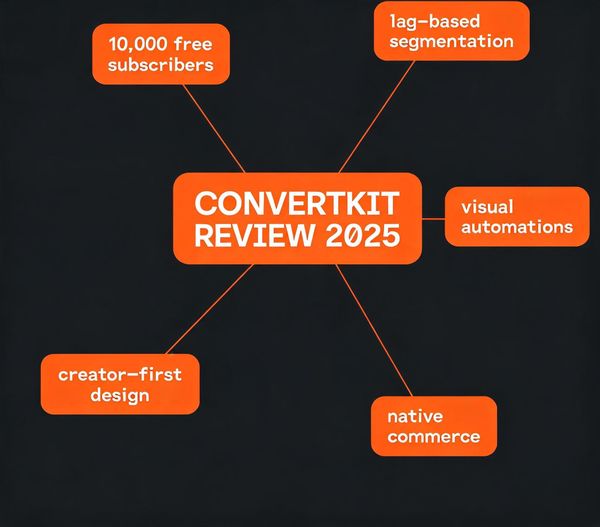
One-liner: An email platform designed specifically for creators — tag-based automation, landing pages, and built-in commerce for selling digital products.
Best for: Bloggers, YouTubers, podcasters, and course creators who want to build an audience they actually own.
Core Features
- Landing pages and forms optimized for subscriber growth
- Visual automation builder (tag-based, not list-based)
- Broadcast and sequence emails
- Subscriber segmentation by behavior and interests
- Built-in commerce (sell digital products without a separate platform)
- Creator Network — cross-promote with other creators for free
Pricing
- Free plan — up to 10,000 subscribers (full features)
- Creator: $25/month (growth features, automations)
- Creator Pro: $50/month (advanced segmentation, referrals)
- Subscriber-based pricing kicks in above 10,000
Pros & Cons
Pros: - The free plan (up to 10K subscribers) is the most generous in email marketing - Tag-based system is far more flexible than Mailchimp's list-based model - Landing page templates convert 30-50% better than DIY - Built-in commerce means you can sell without Gumroad or Shopify
Cons: - Template designs are more utilitarian than beautiful - Fewer integrations than Mailchimp (though all major ones are covered) - Learning curve for the automation builder if coming from simpler tools - Transaction fees on the free plan's commerce features (3% + 30¢)
The honest take: Kit is the email tool recommended to every creator who asks. Email is the one channel no algorithm can take from you, and Kit is built around that truth. Start free, grow into paid features only when your list justifies it.
Rating: 9/10 — The default email tool for serious creators.
Read our in-depth Kit (ConvertKit) review for the full breakdown.
#6. Synthesia — AI Avatar Videos Without a Camera
One-liner: Create professional videos using AI-generated digital humans — no camera, no lighting, no re-recording when you mess up a line.
Best for: Course creators, corporate trainers, and marketers who need polished talking-head videos at scale.
Core Features
- 230+ AI avatars (realistic human presenters)
- 140+ languages with natural-sounding voiceovers
- Text-to-video — type a script, get a video
- Custom avatar creation (clone yourself)
- Screen recording with AI presenter overlay
- PowerPoint-to-video conversion
- Team collaboration and brand kits
Pricing
- Starter: $22/month (10 video credits/mo, 140+ avatars)
- Creator: $67/month (30 credits, custom avatars, premium voices)
- Enterprise: Custom pricing (unlimited, dedicated support)
Pros & Cons
Pros: - Output quality is genuinely impressive — many viewers won't realize it's AI - Multilingual support is unmatched (translate one script into 140+ languages) - Updating a video = editing the script (no reshoots ever) - Custom avatars let you "be" in videos without filming
Cons: - Avatars still have subtle "uncanny valley" moments on close inspection - Emotional range is limited — not replacing charismatic presenters yet - The cheapest plan's 10 videos/month runs out fast - Not ideal for casual/social content (feels too "corporate")
The honest take: Synthesia is the best tool in its category, but it's the most niche pick on this list. If you make training content, product demos, or multi-language course videos, it's transformative. If you're a vlogger or personality-driven creator, skip it — your audience wants you, not an avatar.
Rating: 8/10 — Best for training, courses, and multilingual content.
#7. Grammarly — The AI Writing Assistant That Catches What You Miss
One-liner: A real-time writing assistant that catches grammar mistakes, improves clarity, and now generates and rewrites text with AI.
Best for: Every creator who writes anything — blog posts, emails, social captions, scripts.
Core Features
- Real-time grammar, spelling, and punctuation correction
- Tone adjustment (formal, casual, confident, friendly)
- Clarity and conciseness suggestions
- Plagiarism checker (Premium)
- Generative AI — rewrite, expand, shorten, or brainstorm
- Integration everywhere — browser, Word, Google Docs, desktop apps
- Goal-setting (audience, formality, intent)
Pricing
- Free forever — grammar, spelling, punctuation
- Premium: $12/month (clarity, tone, plagiarism, full rewrite)
- Business: $15/member/month (style guides, brand tones, analytics)
Pros & Cons
Pros: - The free version is genuinely useful — most users never need to upgrade - Browser extension catches mistakes in Gmail, Twitter, LinkedIn, everywhere - Generative AI features have become a legitimate editing tool - Tone detection helps avoid sounding cold or aggressive
Cons: - Suggestions can feel pedantic for experienced writers - The plagiarism checker is limited compared to dedicated tools - Premium pricing is recurring (no lifetime option) - Occasionally "corrects" intentional stylistic choices
The honest take: Grammarly is the most universally useful tool on this list — if you write anything, install it. The free tier covers 80% of users' needs. It ranks #7 because it's a utility, not a transformation. The tools above it change how you create; Grammarly just makes sure you don't embarrass yourself.
Rating: 8.5/10 — Essential utility. Install it today, free.
How to Combine These Tools (3 Recommended Workflows)
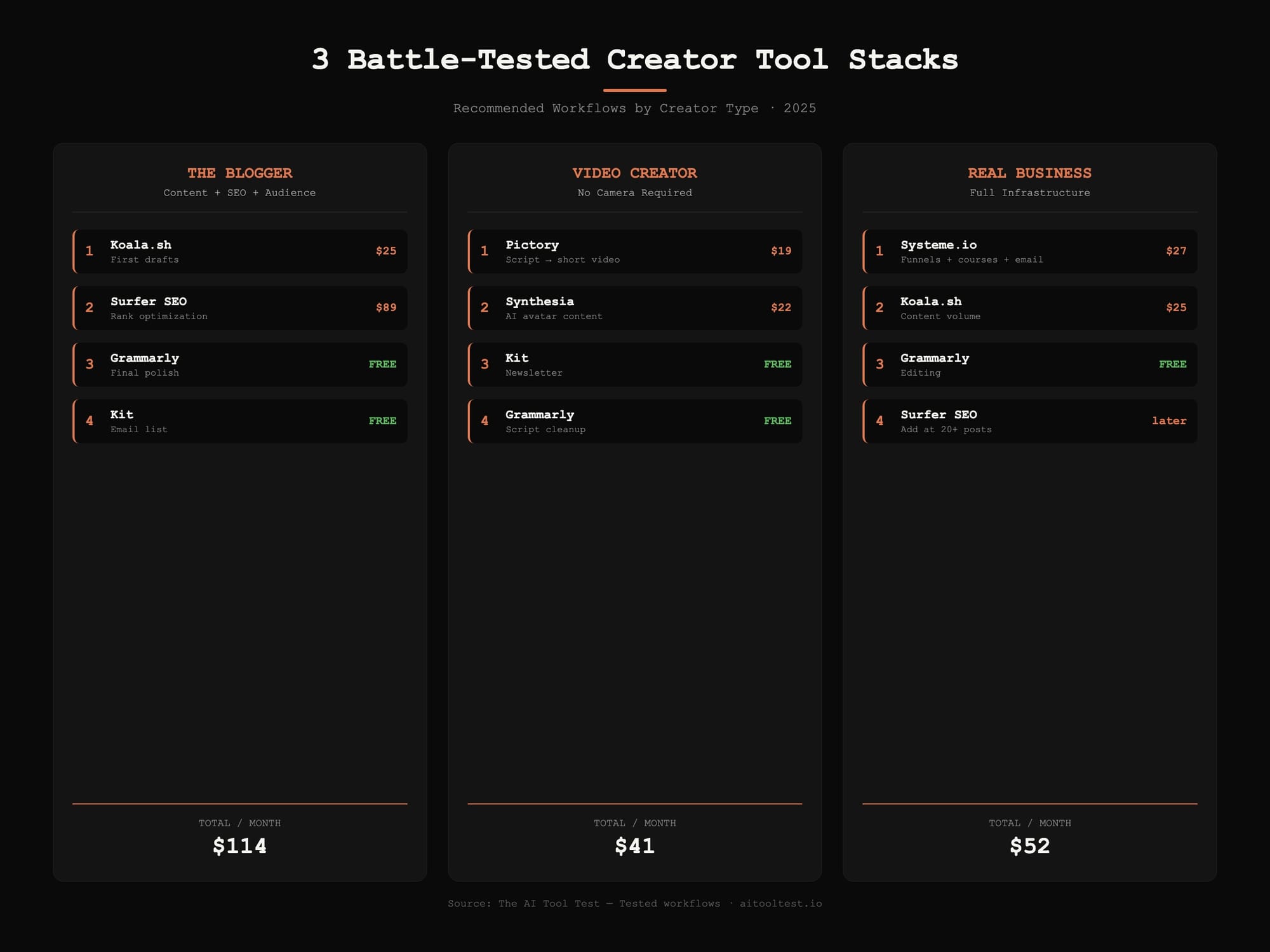
No single tool does everything. Here are three battle-tested stacks based on creator type.
The Blogger Stack (Under $120/month)
- Koala.sh — Generate first drafts ($25/mo)
- Surfer SEO — Optimize for ranking ($89/mo)
- Grammarly — Final polish (Free)
- Kit — Build your email list (Free up to 10K)
Total: ~$114/month — covers writing, optimization, editing, and audience building.
The Video Creator Stack (Under $100/month)
- Pictory — Repurpose scripts into short-form video ($19/mo)
- Synthesia — Talking-head content without filming ($22/mo)
- Kit — Newsletter to your audience (Free)
- Grammarly — Script cleanup (Free)
Total: ~$41/month — produce video content at scale without a camera.
The "Build a Real Business" Stack (Under $100/month)
- Systeme.io — Funnels, courses, email, blog ($27/mo Startup)
- Koala.sh — Content volume ($25/mo)
- Grammarly — Editing (Free)
- Surfer SEO — Add once you have 20+ posts to optimize
Total: ~$52/month — a complete creator business infrastructure that scales.
Tool Selection FAQ
What's the single best AI tool for a beginner content creator?
Systeme.io, hands down. The free plan gives you a website, blog, email marketing, and course hosting — everything you need to start without spending a dollar. Upgrade only when you're making money.
Do I need all 7 of these tools?
No. Most creators need 2-3. Start with the stack that matches your primary format (see the three workflows above). Adding tools you don't use yet is a common trap — complexity kills consistency.
Which AI writing tool is best — Koala, Jasper, or ChatGPT?
For blog content specifically, Koala.sh beats both. It's purpose-built for SEO articles with real-time research, while ChatGPT and Jasper are generalists. For creative writing and brainstorming, ChatGPT is fine. For brand voice consistency at scale, Jasper excels — but it costs 4x more than Koala. See our full comparison →
Is Surfer SEO worth $89/month?
If you publish 4+ blog posts monthly and care about organic traffic, yes. One well-optimized post can bring thousands of visitors per month for years. If you publish casually, start with free tools (Google Keyword Planner, AnswerThePublic) and upgrade when you're serious.
Can AI tools completely replace human creators?
No — and anyone telling you otherwise is selling something. These tools eliminate drudgery (research, formatting, first drafts), but the connection, voice, and insight that build audiences still come from you. AI is leverage, not replacement.
Are free plans actually usable, or just demos?
Systeme.io, Kit, and Grammarly all have genuinely usable free plans — not 14-day trials. You can run a real business on each free tier for months before needing to upgrade. According to HubSpot's 2025 State of AI report, 64% of creators now use AI tools daily, and free-tier adoption is the fastest-growing segment.
What's the difference between Kit and Mailchimp?
Kit is built for creators (tag-based, audience-first, commerce-ready). Mailchimp is built for e-commerce (product-focused, transactional). If you sell knowledge or content, Kit. If you sell physical products, Mailchimp. Read our full Kit review →
The Bottom Line
The AI tool landscape will keep shifting — new tools launch weekly, and features converge fast. But the seven tools above earned their spots through daily use across real projects over six months. The highest-leverage starting point hasn't changed: pick the workflow that matches what you create, choose 2-3 tools from that stack, and actually use them consistently.
Start with Systeme.io's free plan for your business foundation, add Surfer SEO or Koala.sh when you're ready to scale content, and let Grammarly quietly catch your mistakes in the background. That combination covers 90% of what a solo creator needs in 2025.
Some links on this site are affiliate links. We may earn a commission if you make a purchase, at no extra cost to you. Our reviews and rankings are based on independent testing — not on commission rates.
Last updated: July 2025. This list is reviewed quarterly as new tools launch and existing ones evolve.